

Spreadsheet vs. Budgeting App: Which Money Tracking Method Fits You?
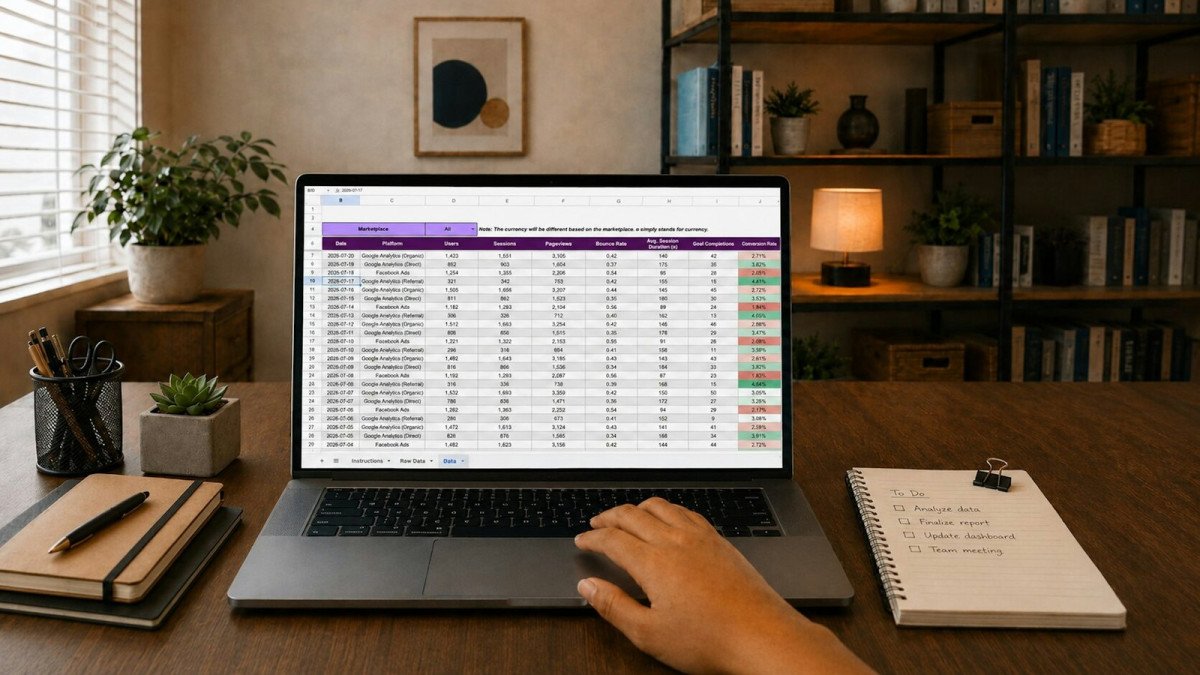
Tracking your money is one of the most useful habits in personal finance, but the method you choose can determine whether the habit sticks. Some people swear by a simple spreadsheet they built themselves. Others would never go back from an app that pulls in every transaction automatically. Both camps are right for themselves, and the better choice for you depends less on which tool is "best" and more on how you think, how much time you want to spend, how comfortable you are sharing financial data, and whether you manage money alone or with a partner.
This guide compares spreadsheets and budgeting apps across the factors that matter most: privacy, data aggregation, cost, control, effort, and use by couples. Rather than ranking specific products, it is designed to help you choose a method and then pick tools that fit it. It is general information, not personalized financial advice, and features and pricing change often, so check current terms before signing up for anything.
What each method actually involves
A spreadsheet approach means you maintain your budget in a program such as Microsoft Excel, Google Sheets, Apple Numbers, or LibreOffice Calc. You either type in transactions by hand or download transaction files from your bank and paste or import them. You decide the categories, the formulas, and the layout. Many people start with a free template and customize it over time.
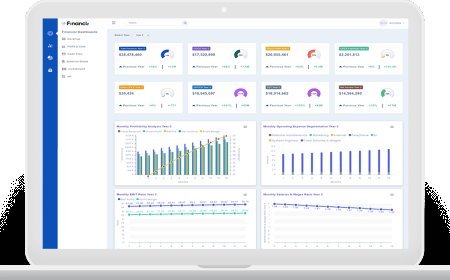
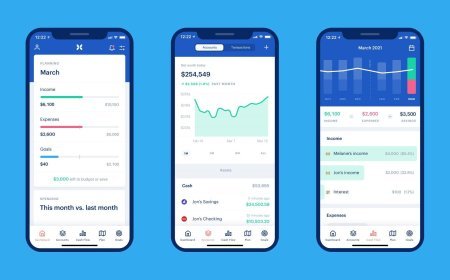
A budgeting app usually connects to your bank, credit card, and investment accounts, then imports transactions automatically and sorts them into categories. Apps typically provide dashboards, spending alerts, goal tracking, and mobile access. Some follow a specific budgeting philosophy, such as giving every dollar a job, while others focus mainly on tracking where money went. A smaller group of apps work without bank connections and rely on manual entry, which blends features of both approaches.
Privacy and security
Privacy is often the deciding factor. With a spreadsheet, your financial data stays wherever you store the file. If you keep it on your own computer, no third party sees your transactions unless you share them. If you store it in a cloud service, your data is subject to that service's security and privacy practices, but you are not granting anyone ongoing access to your bank accounts.
Most budgeting apps rely on data aggregation services that connect to financial institutions on your behalf. Many large banks now support secure connections in which you log in through the bank's own screen and the app receives a token rather than your password, but some connections still involve sharing credentials with the aggregator. Either way, you are giving a company ongoing access to a detailed history of your spending.
That does not mean apps are unsafe. Reputable providers use encryption and security controls, and many offer two-factor authentication. But you should read the privacy policy to understand what data is collected, whether it is used for advertising or product recommendations, whether it is shared with partners, and how to delete your data if you leave. Free apps in particular may make money by marketing financial products to users based on their data.
Spreadsheets carry their own risks. A file saved on an unencrypted laptop or emailed around can be exposed if the device or account is compromised. Protect your files with strong passwords, device encryption, and two-factor authentication on any cloud storage account.
Data aggregation and accuracy
The biggest advantage of apps is automation. Transactions appear without typing, balances update regularly, and you can see accounts at multiple institutions in one place. For households with many accounts and cards, that time savings can be substantial.
Automation is not perfect, though. Bank connections break periodically and need to be reauthorized. Transactions may be miscategorized, especially purchases at stores that sell many types of goods, and refunds, transfers between your own accounts, and split purchases often need manual cleanup. Some institutions, smaller credit unions in particular, may not connect reliably at all. If you use an app, expect to spend a few minutes each week reviewing and correcting entries. Investment and retirement account balances may also lag by a day or more, which matters little for budgeting but can confuse net worth tracking during volatile markets.
With a spreadsheet, accuracy depends entirely on you. Manual entry is slower and errors can creep in, but many people find that typing transactions makes them more aware of their spending. Downloading CSV files from your bank each week or month and pasting them in is a middle path that reduces typing while keeping you in control.
Cost
Spreadsheets are usually free or close to it. Google Sheets and LibreOffice cost nothing, and many households already have Excel or Numbers. Free templates are widely available, and you can build your own with basic formulas.
Budgeting apps range from free, ad-supported tools to paid subscriptions that often cost a modest monthly or annual fee. When comparing costs, weigh the subscription against the value of the time saved and any behavior change it produces. An app that helps you cut unnecessary spending by a meaningful amount can pay for itself many times over, while one you stop opening after a month is a poor value at any price.
Longevity is part of the cost equation as well. Apps can raise prices, change features, or shut down. When Intuit closed its popular Mint app in 2024, millions of users had to export their data and move to another service. A spreadsheet you own does not disappear because a company changed its strategy.
Control and customization
Spreadsheets offer almost unlimited flexibility. You can create any category, track irregular income, model debt payoff scenarios, plan sinking funds, calculate net worth, or build charts exactly the way you want. If your finances are unusual, such as freelance income, a side business, rental property, or shared expenses with roommates, a spreadsheet can adapt in ways that a preset app may not.
The flip side is that flexibility requires effort and some comfort with formulas. A poorly designed spreadsheet can become cluttered or error-prone, and it will not send you an alert when you are about to overspend.
Apps trade flexibility for convenience. They provide structure, default categories, and built-in reports, which can be ideal for beginners who do not want to design a system. Many allow custom categories and rules for recurring transactions, but you are still working within the app's framework. If the app does not support a feature you need, you have to find a workaround or switch tools.
Time and effort
Consider honestly how much time you will spend on money tracking. A manual spreadsheet might take 15 to 30 minutes a week for a typical household, more if you have many accounts or cash transactions. An app might cut that to a few minutes of review, though initial setup and periodic connection fixes take time.
The right level of effort also depends on your goals. If you are trying to understand spending patterns for the first time, more hands-on involvement may be valuable. If you already know your habits and just want a quick check, automation may be enough.
Managing money as a couple
Couples have extra considerations. Both partners need access, and ideally both should feel ownership of the system. Shared cloud spreadsheets make collaboration easy, since each partner can view and edit the same file from their own device. Couples can design categories that reflect how they actually split costs, whether they combine all finances, keep separate accounts with a shared bills pool, or split expenses proportionally to income.
Many budgeting apps support multiple users or shared household views, and some are designed specifically for couples. Check whether each partner can log in separately, whether accounts can be marked as shared or private, and whether the subscription covers both users. Discuss privacy expectations before linking everything. Some partners are comfortable sharing every transaction, while others prefer to keep a personal spending account outside the shared view.
Whatever tool you choose, the conversation matters more than the software. A regular money check-in, even 20 minutes once a month, helps couples stay aligned on goals and spending.
A hybrid approach
You do not have to choose only one method. Many people use an app for day-to-day tracking and a spreadsheet for bigger-picture planning, such as net worth, retirement projections, or annual expense forecasts. Others use a spreadsheet for budgeting but rely on their bank's own app for alerts and balance checks, which avoids connecting a third-party aggregator.
Another hybrid is exporting data. Many apps allow you to export transactions to a CSV file, which you can analyze in a spreadsheet. This gives you automated collection with spreadsheet-level control, and it provides a backup if the app changes or closes.
How to choose the method that fits you
A spreadsheet may fit you best if you value privacy, enjoy customizing systems, have unusual finances, want to avoid subscription costs, or find that manual entry keeps you more mindful. An app may fit you best if you have many accounts, want automatic updates and alerts, prefer a ready-made structure, track on your phone, or have struggled to keep a manual system going.
If you are unsure, test both for a month. Build a simple spreadsheet with income, fixed bills, and a few spending categories, and try a free trial of an app at the same time. At the end of the month, notice which one you actually opened and which one changed your decisions.
Getting started with either method
If you choose a spreadsheet, keep the first version simple. Create one tab for monthly income and fixed bills, one for transactions, and one summary tab that totals spending by category with a basic SUMIF formula. Limit yourself to perhaps ten or twelve categories at first, since too many make entry tedious. Set a recurring calendar reminder for a weekly update, and save a dated backup copy at the end of each month so a mistake or accidental deletion never wipes out your history.
If you choose an app, start by connecting only your main checking account and the credit card you use most, then add other accounts once the categories look right. Spend the first few weeks teaching the app your habits by correcting categories and creating rules for recurring merchants. Turn on two-factor authentication immediately, review which permissions you granted, and decide which alerts are actually helpful so notifications do not become background noise.
In either case, judge the system after about three months rather than three days. The goal is not a perfect record of every purchase. It is a clear enough picture of your income, spending, and savings that you can make better decisions with confidence.
The bottom line
Spreadsheets give you privacy, control, flexibility, and low cost in exchange for more hands-on effort. Budgeting apps offer automation, convenience, and mobile access in exchange for sharing data, possible subscription fees, and dependence on a company's product decisions. Neither is universally better. The best money tracking method is the one you will use consistently, protect properly, and review regularly enough to guide your financial choices.
Frequently Asked Questions
What's Your Reaction?
 Like
0
Like
0
 Dislike
0
Dislike
0
 Love
0
Love
0
 Funny
0
Funny
0
 Wow
0
Wow
0
 Sad
0
Sad
0
 Angry
0
Angry
0

Finance Mastering delivers practical insights on personal finance, budgeting, investing, and money management. Whether you're just starting out or looking to grow your wealth, we make financial freedom achievable.














Comments (0)