

Mobile Banking Security: How Can You Protect Your Money From Hackers?
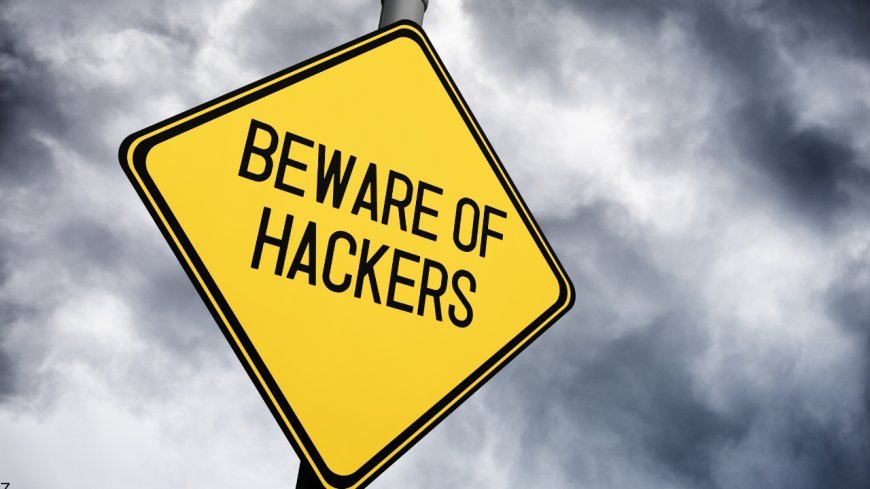
Mobile banking has become the primary way most people handle their finances in 2026. It is fast and convenient, but it also makes your money a prime target for hackers. With advanced malware, AI-powered scams, and sophisticated phishing attacks on the rise, relying on your bank’s security alone is no longer enough.
This guide outlines seven critical steps you can take right now to protect your accounts and reduce your risk significantly.
1. Use Strong Authentication and Biometrics
Passwords alone are no longer sufficient in 2026. Many account takeovers happen through credential stuffing or weak passwords reused across sites.
Enable biometric login such as fingerprint or face recognition on your banking app whenever available. Combine this with a strong, unique passcode for your device and enable multi-factor authentication that goes beyond simple text messages. Push notifications or app-based authenticators provide much better protection than SMS codes, which hackers can intercept more easily.
2. Keep Your Apps and Phone Software Updated
Outdated software remains one of the easiest ways hackers gain access. Banking trojans and malware often exploit known vulnerabilities that get patched in newer versions.
Set your phone to install updates automatically and check your banking app regularly for updates. Developers release security patches frequently, and delaying them leaves you exposed to threats that are actively circulating in 2026. This simple habit closes many of the entry points hackers rely on.
3. Avoid Public Wi-Fi for Banking Transactions
Public networks at coffee shops, airports, and hotels are convenient but dangerous. Hackers can intercept data or set up fake networks to steal login information.
Use your cellular data or a reputable VPN when you need to check balances or make transfers outside your home. Many banking apps now warn users about insecure connections, but it is safer to develop the habit of avoiding public Wi-Fi entirely for any financial activity.
4. Watch Out for Phishing and Smishing Attacks
AI has made scams much more convincing. Hackers send texts, emails, or calls that appear to come from your bank, urging you to click links or share codes.
Never click links in unsolicited messages, even if they look legitimate. Log into your banking app directly by typing the address or using the official app instead of following links. If something feels urgent or creates panic, it is almost always a scam. Your bank will never ask for passwords or verification codes via text or email.
5. Monitor Your Accounts Daily and Set Alerts
Early detection stops small problems from becoming major losses. Many people only check their accounts once or twice a month, giving hackers time to drain funds.
Turn on transaction alerts for any amount, especially large or unusual ones. Review your account activity regularly through the app. Setting up notifications for logins from new devices or large transfers gives you the chance to react quickly and freeze your account if needed.
6. Secure Your Physical Device
A lost or stolen phone can become a direct gateway to your money if not properly protected.
Use a strong device passcode, enable remote lock and wipe features, and never leave your phone unlocked in public. Avoid jailbreaking or rooting your device, as this removes important security protections. If your phone is lost, contact your bank immediately to freeze access and use find-my-phone tools to secure or erase it.
7. Be Careful with App Permissions and Downloads
Only download your banking app from official stores like the Apple App Store or Google Play. Many fake apps mimic real ones to steal information.
Review and limit permissions granted to apps. Your banking app should not need access to your contacts, photos, or microphone unless absolutely necessary for a specific feature. Regularly audit installed apps and remove anything you no longer use.
Your Simple 2026 Mobile Banking Security Action Plan
Start by enabling biometrics and transaction alerts in your banking app today. Then go through your phone settings to ensure all software is updated and review app permissions. Set a monthly reminder to check for updates and review recent account activity. Finally, make it a rule to never use public Wi-Fi for banking and always verify requests directly through official channels.
Taking these steps takes only a short time but can save you from significant stress and financial loss. In 2026, protecting your money starts with how you use your phone.
Have you experienced any suspicious banking activity recently? What security step do you find most important? Share in the comments below.
What's Your Reaction?
 Like
0
Like
0
 Dislike
0
Dislike
0
 Love
0
Love
0
 Funny
0
Funny
0
 Wow
0
Wow
0
 Sad
0
Sad
0
 Angry
0
Angry
0

Passionate about breaking down complex finance-related concepts into simple terms to help everyday people.














Comments (0)