

Mobile Banking Security: How to Protect Your Accounts From Fraud
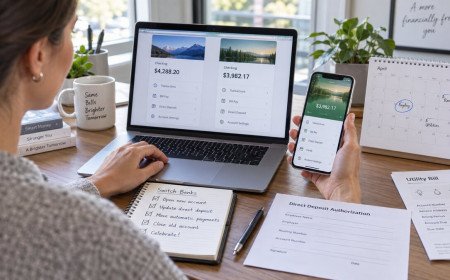
Mobile banking puts transfers, deposits, card controls, and alerts in your pocket. That convenience also concentrates access in one device. If a criminal gains control of your phone number, password, email, or unlocked handset, the banking app can become a path to your money.
Good security does not require technical expertise or constant fear. It requires several layers so one stolen credential or careless tap does not become a full account takeover. These practices protect the device, login, payment channels, and your response if something goes wrong.
Start With a Strong Screen Lock
Use a long passcode or password, not an easily guessed four-digit code. Biometrics are convenient, but the device passcode remains the fallback and deserves the same care as an account password. Enable automatic locking after a short period of inactivity.
Do not share that code casually. Someone who knows it may open saved passwords, approve payments, or change biometric settings. Review which notifications appear on the lock screen so security codes and balances are not exposed.
Keep the Phone and Banking App Updated
Security updates repair weaknesses attackers can exploit. Turn on automatic operating-system updates and install banking-app updates from the official app store. Never download banking software through links in texts, emails, or advertisements.
Remove apps you no longer use, especially those with broad accessibility, screen-recording, or device-administration permissions. A smaller and current set of applications gives criminals fewer opportunities.
Use a Unique Banking Password
Do not reuse a banking password on shopping, social media, or email accounts. Reuse lets a breach at one company become a login attempt at another. A password manager can create and store a long random password without requiring you to memorize it.
Protect the password manager with a strong master password and multifactor authentication. Do not store banking credentials in screenshots, ordinary notes, messages, or shared browsers.
Turn On Strong Multifactor Authentication
Multifactor authentication requires more than a password. An authenticator app, hardware security key, or in-app approval is generally more resistant to phone-number theft than a text message. Use the strongest option your institution supports.
Text codes are still better than password-only access when stronger choices are unavailable. Protect the mobile account with a carrier PIN and ask whether a port-out lock is available, making it harder to move your number to another SIM.
Protect the Email Account Too
Password resets and fraud notices often arrive by email, so a compromised inbox can undermine a protected bank login. Give email a unique password and strong multifactor authentication. Review forwarding rules and recovery addresses for changes you did not make.
Be cautious with reset messages you did not request. Open the bank app directly instead of clicking the message. If the alert is legitimate, respond through the official app or a verified number.
Recognize Phishing and Smishing
Fraud messages create urgency around a locked account, suspicious payment, refund, prize, or identity check. They may copy logos and caller IDs. Avoid the link, close the message, and contact the institution through its official app, card, or website you type yourself.
Never provide a password, complete card number, PIN, or one-time code to an incoming caller or message. A scammer may already know your name and partial account details. Familiar information is not proof of identity.
Reject Remote-Access Requests
A legitimate bank employee should not ask you to install remote-control software so they can inspect your phone or computer. Remote access can let a criminal watch codes, initiate transfers, or disguise what appears on screen.
If anyone asks you to move money to a safe account, buy gift cards, withdraw cryptocurrency, or keep a banking conversation secret, stop. End the call and contact the bank through a number you independently verify.
Use Trusted Networks
Avoid sensitive banking on open public Wi-Fi when possible. Cellular data or a trusted private network reduces exposure to malicious hotspots. Never ignore certificate warnings or install a configuration profile requested by an unfamiliar network portal.
Turn off Bluetooth and personal-hotspot features when they are not needed. The goal is not to make the phone invisible but to reduce unnecessary connections while it holds sensitive sessions.
Review App Permissions
A banking app may reasonably need camera access for mobile deposit and notifications for alerts. It usually does not need continuous contacts, microphone, or precise-location access unless a documented feature requires it. Review permissions in phone settings.
Inspect accessibility permissions and notification access for other apps. Malicious software can misuse these powerful settings to read screens or intercept messages. Remove access from anything you do not recognize or use.
Enable Transaction and Login Alerts
Turn on alerts for logins, password changes, new payees, transfers, online purchases, ATM withdrawals, and transactions above a low threshold. Fast notice gives you a better chance to stop a transfer or lock a card.
Use more than one alert channel if available and keep contact information current. Treat a sudden loss of cellular service as a warning if it occurs alongside unexpected login notices.
Use Card Controls and Account Limits
Many apps let you lock a card temporarily, restrict international or online transactions, and set travel notices. Learn where these controls are before an emergency. Keep daily transfer and withdrawal limits no higher than you reasonably need.
Consider linking payment apps to a separate checking account with a limited balance rather than the account holding emergency savings. Separation limits the amount exposed if a payment credential is compromised.
Protect Mobile Deposits and Documents
Endorse checks only when you are ready to deposit them and follow the bank’s instructions. Store the paper check securely until the recommended destruction date. Do not leave statements, tax forms, or check images in an unprotected photo library.
When a bank requests a document, use its secure message center or upload portal instead of ordinary email when possible. Confirm an unexpected request through a known channel before sending anything.
Understand Payment-App Risks
Peer-to-peer transfers can behave more like cash than credit-card purchases. Verify the recipient before sending because recovery may be difficult when you authorize payment to the wrong person or a scammer.
Confirm names and handles through a separate conversation. Never use a payment app to satisfy an unsolicited security instruction, and do not send a test payment merely because a stranger requests one.
Watch for SIM-Swap Warning Signs
Unexpected loss of service, password-reset notices, or messages about a new device can indicate that someone is targeting your number. Contact the carrier from another phone and call the bank immediately if banking credentials may be exposed.
Add a carrier PIN that is not reused elsewhere. Review authorized users and old recovery methods. A bank login protected only by text messages depends heavily on the carrier account’s security.
What to Do If the Phone Is Lost
Use the device maker’s official find-and-lock service from a trusted device. Mark the phone lost, lock it remotely, and erase it if recovery is unlikely. Contact the carrier to suspend service and prevent unauthorized SIM use.
Call the bank through a verified number, explain that the device is missing, and ask it to revoke mobile sessions. Change email and banking passwords from a clean device and review recent transactions and payment-app activity.
What to Do If You See Fraud
Lock the affected card or account in the app if available, then contact the institution immediately. Record the date, time, transaction, case number, and instructions. Speed matters because protections can depend on account type and reporting timeline.
Change compromised credentials, sign out other sessions, and inspect email and carrier accounts for related changes. Continue monitoring because one unauthorized transaction can be a test before larger attempts.
Build a Monthly Security Routine
Once a month, review transactions, connected devices, transfer recipients, contact information, alert settings, and app permissions. Delete payees and devices you no longer recognize. This short routine catches quiet changes that daily use can hide.
Review statements and credit reports regularly, but remember that bank-account fraud may not appear on a credit report. Direct alerts and statement review remain essential.
The Bottom Line
Mobile banking is safest when protection is layered. Secure the phone, use unique credentials, strengthen multifactor authentication, distrust urgent requests, and enable alerts that reveal changes quickly.
No single setting stops every attack. Several modest safeguards create friction for criminals and buy you time to respond. Learn the emergency controls before you need them, and always contact the bank through a channel you verify independently.
Travel and Shared-Device Precautions
Before traveling, update contact information and learn how to reach the bank from outside the country. Avoid logging in through hotel business centers or borrowed devices, where saved sessions, browser extensions, or monitoring software may expose credentials. If you must use another device, use a private window, decline password saving, sign out completely, and change the password later from a trusted device if anything felt unusual.
Do not share a banking-app profile with family members. Each authorized person should use an individual login when the institution supports it, because separate credentials make alerts and access reviews clearer. On a shared tablet or computer, keep banking profiles separated and never leave a session open. Convenience should not erase the ability to tell who initiated a payment or changed an account setting.
Frequently Asked Questions
What's Your Reaction?
 Like
0
Like
0
 Dislike
0
Dislike
0
 Love
0
Love
0
 Funny
0
Funny
0
 Wow
0
Wow
0
 Sad
0
Sad
0
 Angry
0
Angry
0

Finance Mastering delivers practical insights on personal finance, budgeting, investing, and money management. Whether you're just starting out or looking to grow your wealth, we make financial freedom achievable.











Comments (0)